

Signing in takes you straight to your workspace — research, matters, AI agents, and team chat. This guide covers signing in with your email and password or with Google, and what to do if you have forgotten your password or have not verified your email yet.
Who can do this: Anyone with a ModulawAI account.
Before you start: You will need the email address and password you signed up with — or the Google account you used.
Sign in with your email and password
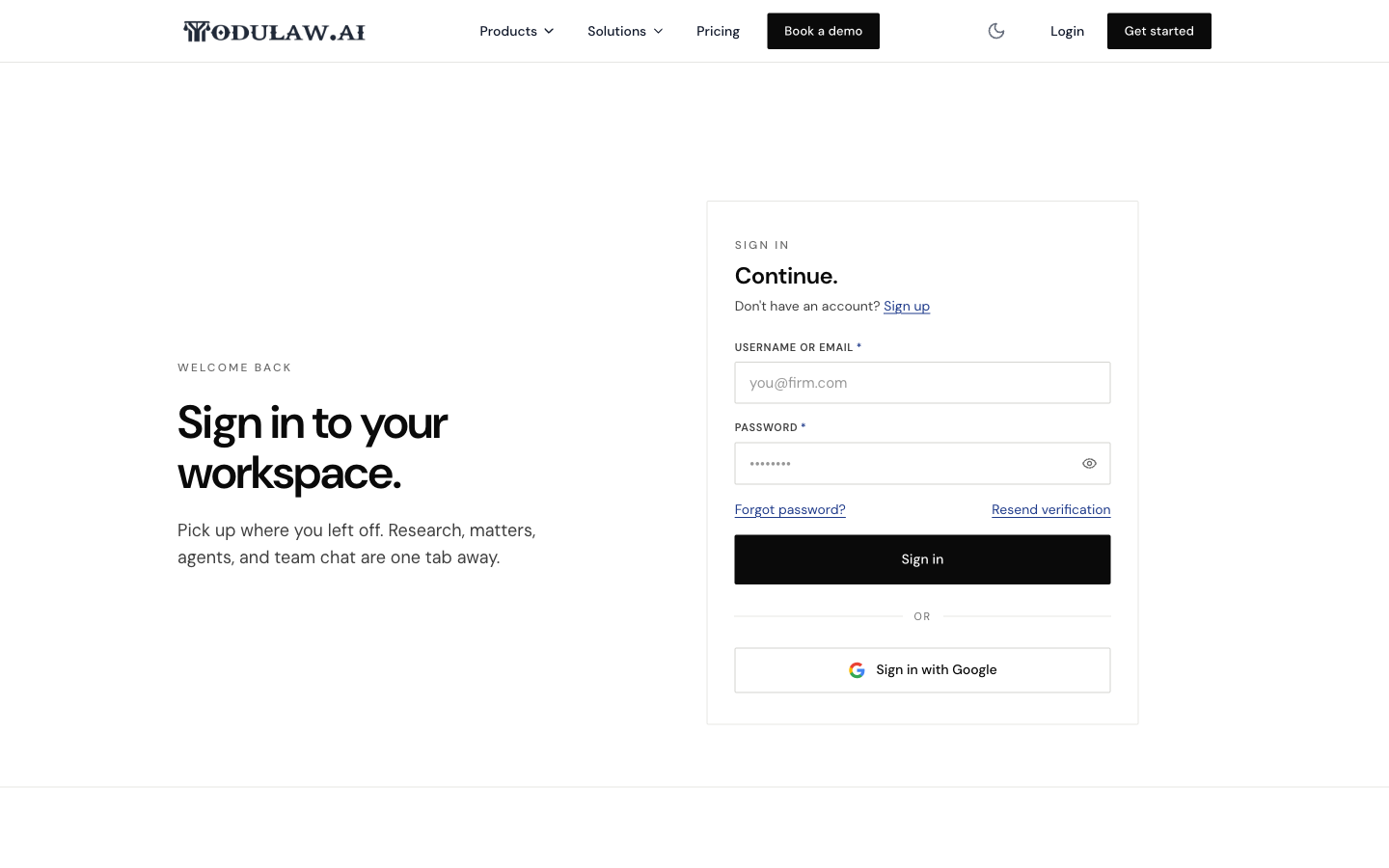
- Go to app.modulaw.ai. You can also start at modulaw.ai and click Login in the top-right corner, which takes you to the same place.
- Enter your username or email in the first field.
- Enter your password. Click the eye icon at the end of the field to show or hide what you have typed.
- Click Sign in.
✅ You will land in your workspace, right where you left off.
Sign in with Google
If you created your account with Google — or connected it — you can skip the password:
- On the sign-in page, click Sign in with Google.
- Choose the Google account you use for ModulawAI and approve the prompt.
Use the same method you signed up with. If you registered with an email and password, sign in that way rather than with Google.
Forgot your password?
- On the sign-in page, click Forgot password?.
- Enter your account email and submit the form.
- Open the reset email we send you and follow the link to choose a new password.
The reset link is time-limited. If it has expired, simply request a new one.
Didn’t receive your verification email?
New accounts must confirm their email before signing in. If you never received the confirmation, click Resend verification on the sign-in page, then check your inbox — and your spam or promotions folder.
Don’t have an account yet?
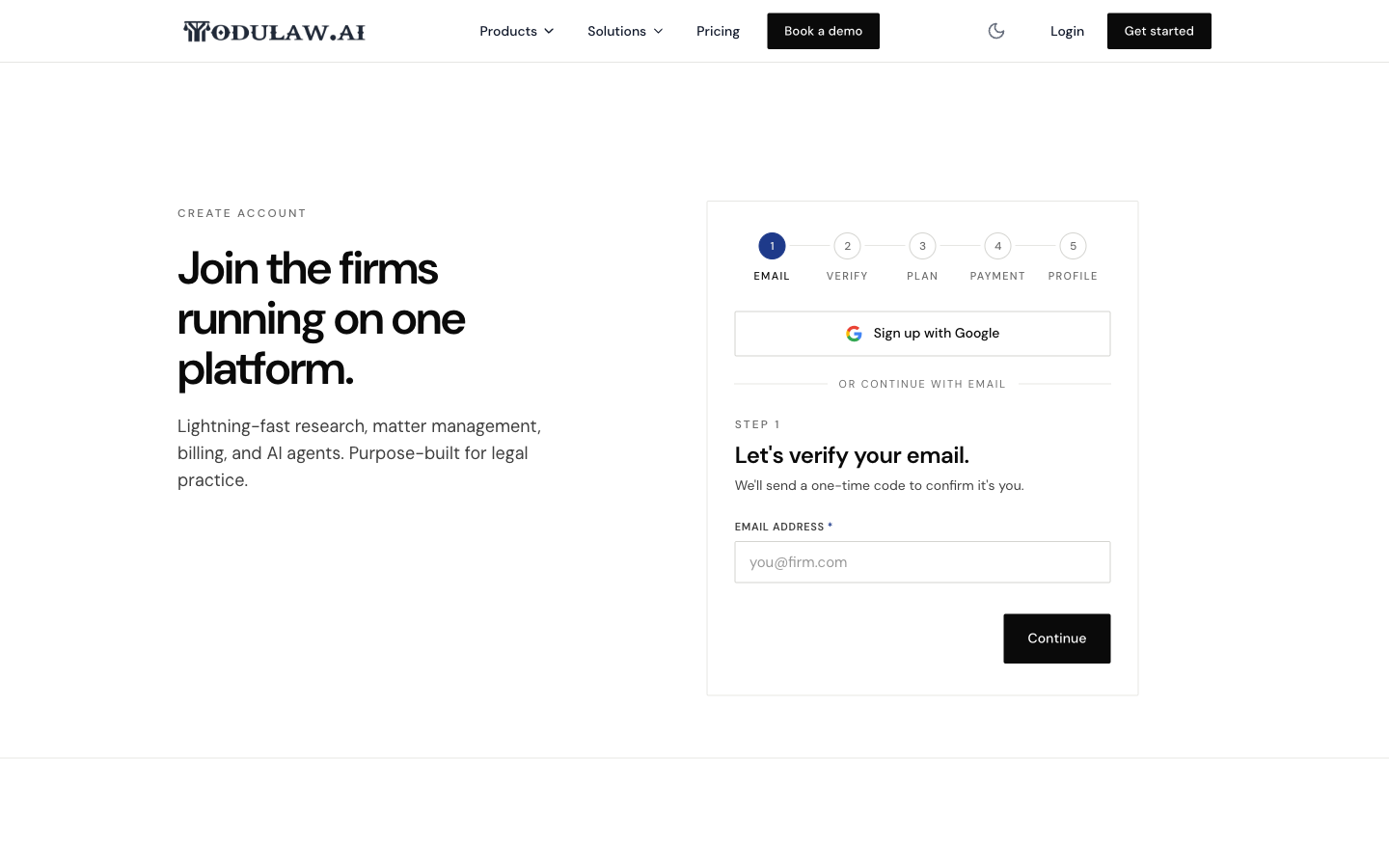
Click Sign up on the sign-in page to create one. Setting up your workspace takes a few minutes across five short steps — email, verification, plan, payment, and your profile.
Troubleshooting
- “Invalid credentials.” Double-check for typos and caps lock, then use the eye icon to confirm your password. Still stuck? Reset it with Forgot password?.
- Asked to verify your email. Your account isn’t confirmed yet — use Resend verification and open the link in the email.
- Signed up with Google but can’t sign in with a password. Use Sign in with Google instead — that’s the method tied to your account.