

The Legal Assistant is the fastest way to get answers from ModulawAI. Ask a question in plain English and it researches the law, drafts documents, and can even manage your matters — all from one message box. This guide walks you through asking your first question and reading the answer with confidence.
Who can do this: Anyone with a ModulawAI account.
Before you start: Nothing — you are ready. Just sign in and open the chat.
Ask a question
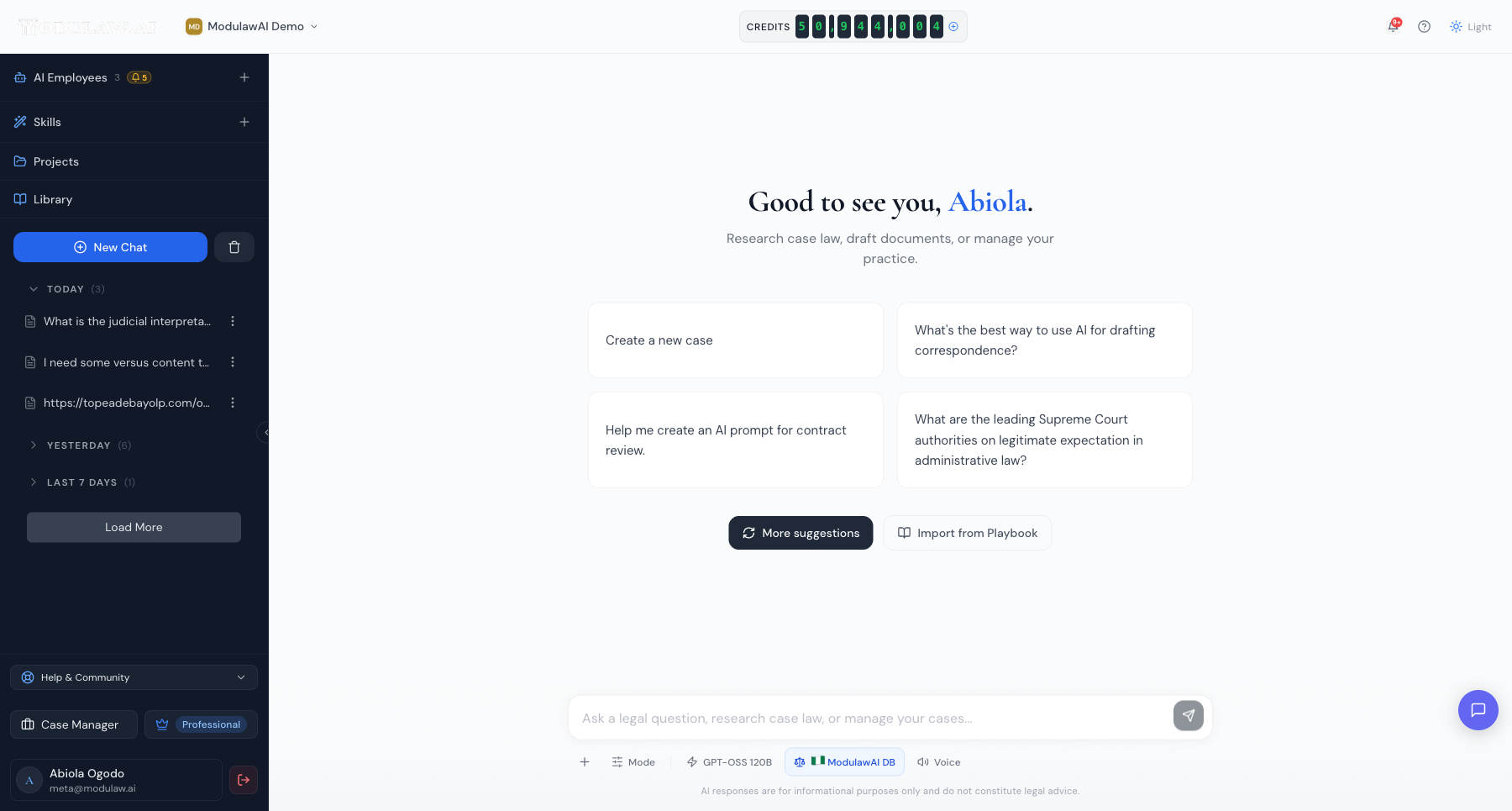
- Open the chat. If you are elsewhere in ModulawAI, click New Chat in the left sidebar.
- Type your question in the message box at the bottom — for example, “What are the leading Supreme Court authorities on legitimate expectation in administrative law?” You can also click one of the suggested prompts to get started.
- Press Enter or click the send button.
Write the way you would brief a colleague. The more context you give — the jurisdiction, the facts, what you are trying to achieve — the sharper the answer.
How the assistant researches
The assistant does not guess. For a research question it searches the case-law databases, works through the problem, and shows its steps as it goes — so you can see exactly how it reached its answer.
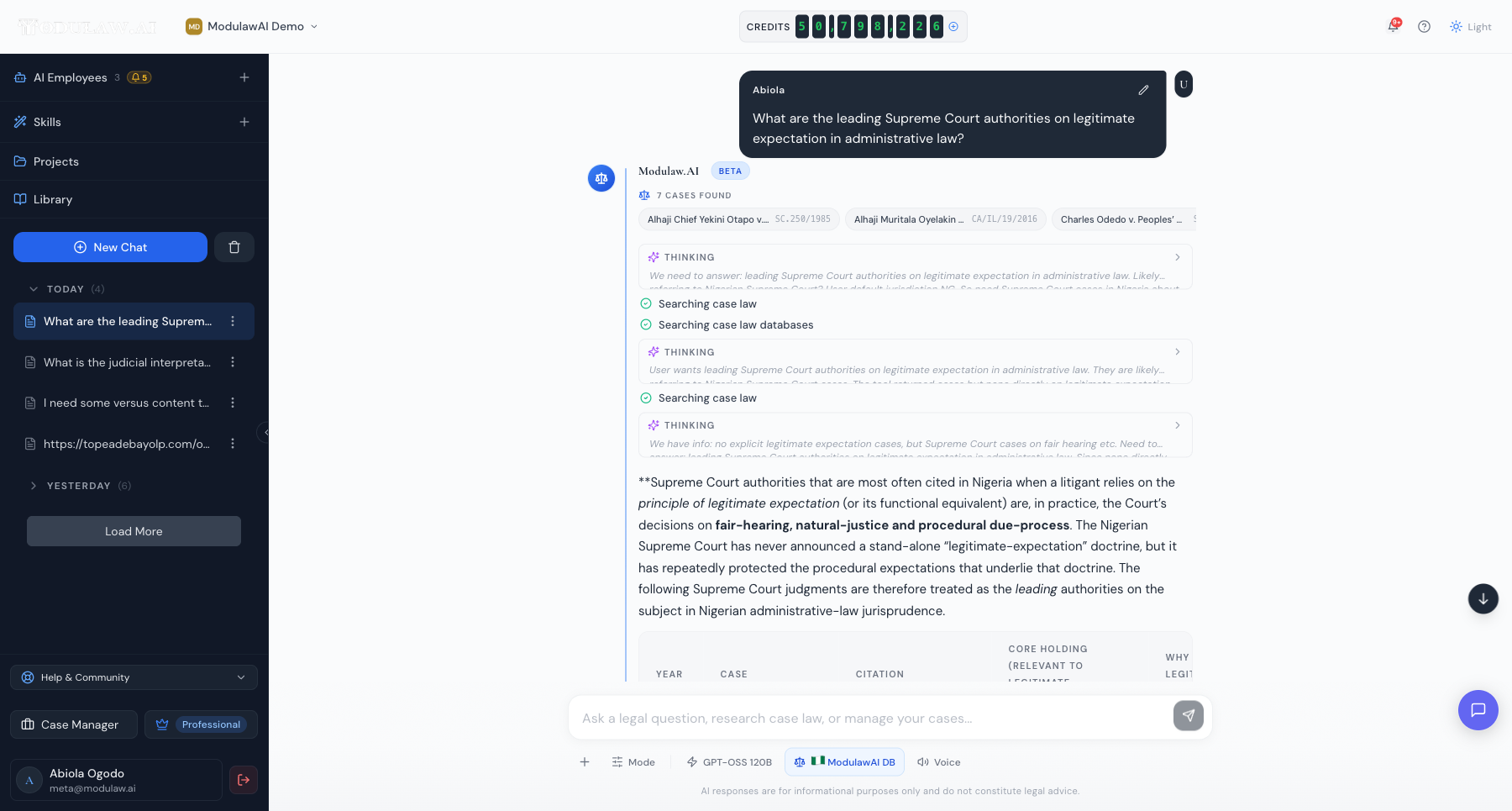
Near the top you will see how many cases were found, and you can expand the Thinking steps to follow the assistant’s reasoning. The written answer then pulls it together — often as a clear summary with a table of the key authorities.
Check the citations
Every authority the assistant relies on comes with a citation card you can check — the case name, a plain-English summary of the holding, the citation, court, and date. This is the most important habit to build: always open the source before you rely on it.
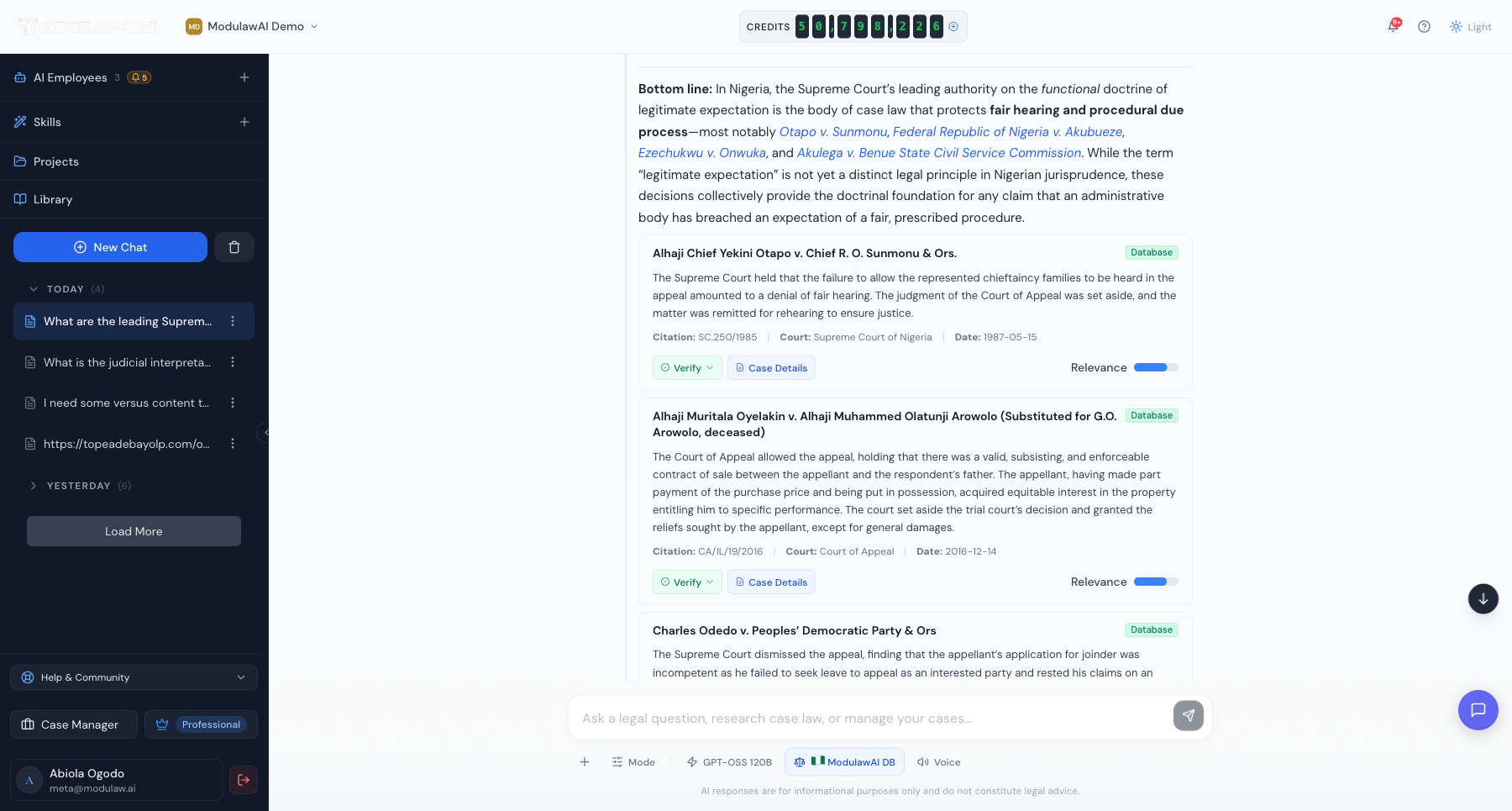
- Verify re-checks the citation against the source it came from. What that means varies by jurisdiction — Nigerian cases are confirmed from our own database, while US, UK, Canadian, EU and African authorities are re-checked against the external source. See Understanding AI answers and citations.
- Case Details opens the full judgment so you can read it in context.
- The Relevance bar shows how closely each authority matches your question.
Choose your model and jurisdiction
Below the message box you can tailor how the assistant works:
- Mode — switch between a quick answer and deeper, agentic work.
- Model — pick the AI model that suits the task (faster, or more capable).
- Jurisdiction — choose which legal database to search (for example, the Nigerian case-law database) so answers and citations match the right forum.
- Voice — ask your question out loud instead of typing.
Do more than ask
The Legal Assistant is not just for questions — anything you can do elsewhere in ModulawAI, you can ask for in chat. Draft a letter, summarise a document you upload, open a new matter, or manage your cases, all from the same message box. Just describe what you want in plain English, and the assistant will do it or walk you through the details it needs.
Good to know
- Answers are grounded in retrieved sources, but AI can still make mistakes — check the citations before relying on anything.
- AI responses are for information only and do not constitute legal advice.
- Research and drafting use account credits; you can see your balance at the top of the screen.