

This is a worked example that turns the Processes feature into something concrete: a staff appraisal that runs itself across your firm. Each person is asked for their part at the right time, and you can see who is done and who is not, without chasing anyone by email. Once you have built one process, every other internal routine (onboarding, matter opening, leave requests) works the same way.
What we are building
A simple annual appraisal with three steps that happen in order:
- Self-assessment (a form): the person being appraised fills in how they think the year went.
- Manager review (a form): their supervising partner or line manager scores and comments.
- Sign-off (an approval): a managing partner or department head reviews and approves the outcome.
You could add a fourth step, for example an HR acknowledgement, in exactly the same way.
Before you start: create the two forms
A process step points at a form, so build the forms first. In Forms, create and publish two templates: an “Appraisal: Self-assessment” form and an “Appraisal: Manager review” form. If you have not built a form before, follow the Forms guide first, then come back here.
Step 1: build the appraisal process
- In the Case Manager, click Processes in the left sidebar, then click New process.
- In Title, type “Annual Staff Appraisal”.
- Leave Runs against on “Anywhere”. An appraisal is about a person, not a case.
- Set Starts to “Manually (Start / Launch to many)”. You will kick it off when the appraisal cycle opens.
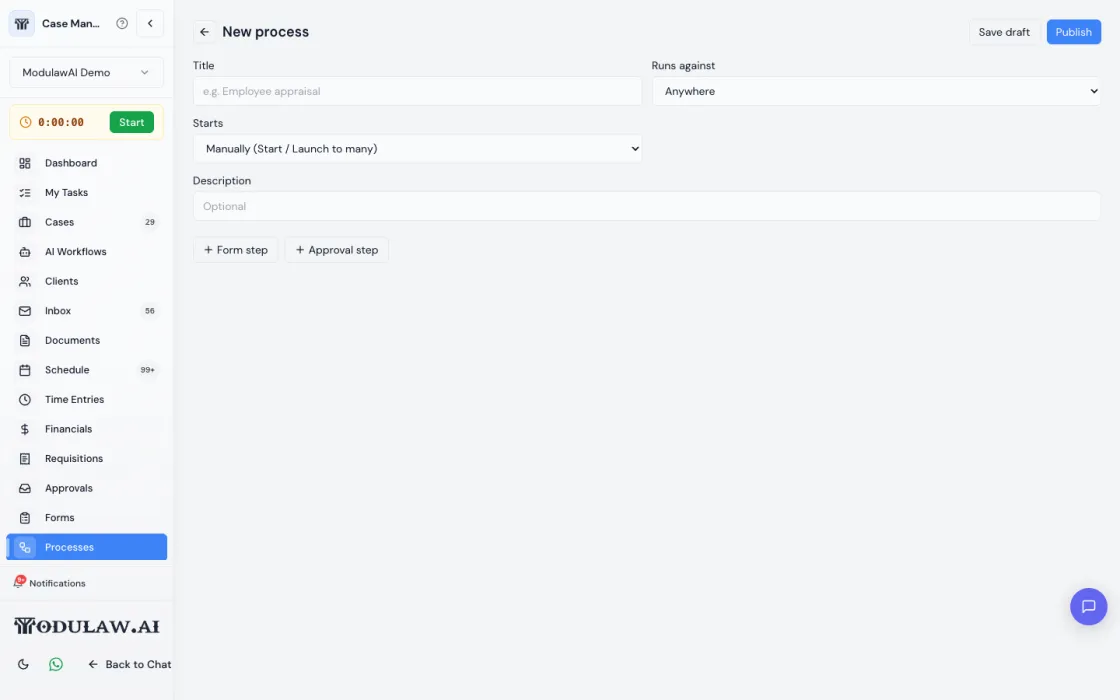
Now add the steps in order. This is where the appraisal takes shape.
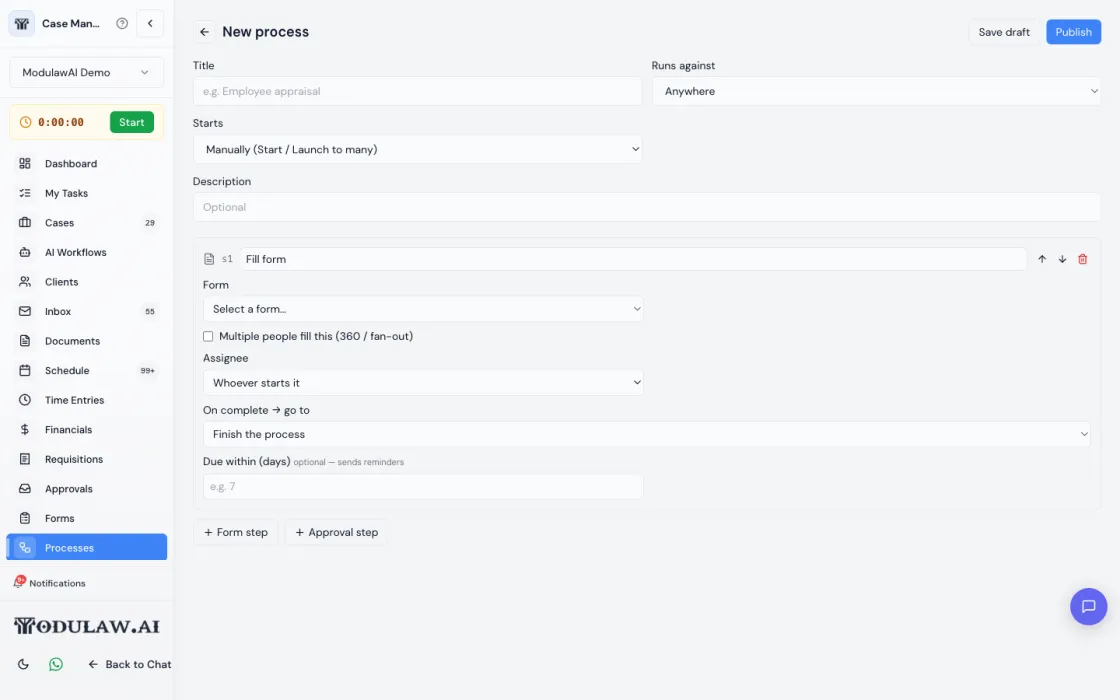
- Click Form step. Name it “Self-assessment”. In Form, choose your “Appraisal: Self-assessment” template. In Assignee, choose the subject (the person being appraised). Set Due within to, say, 5 days so it sends reminders.
- Click Form step again. Name it “Manager review”. Choose your “Appraisal: Manager review” template. In Assignee, choose the subject’s manager (this uses your reports-to structure, so it goes to the right person automatically). Set a due date.
- Click Approval step. Name it “Partner sign-off”. Choose the approver: a specific partner, or a role such as Managing Partner.
- Check the order reads top to bottom: Self-assessment, then Manager review, then Partner sign-off.
- Click Publish. Your appraisal is now active and ready to run.
Step 2: launch it
You can run the appraisal for one person, or for your whole team in a single action.
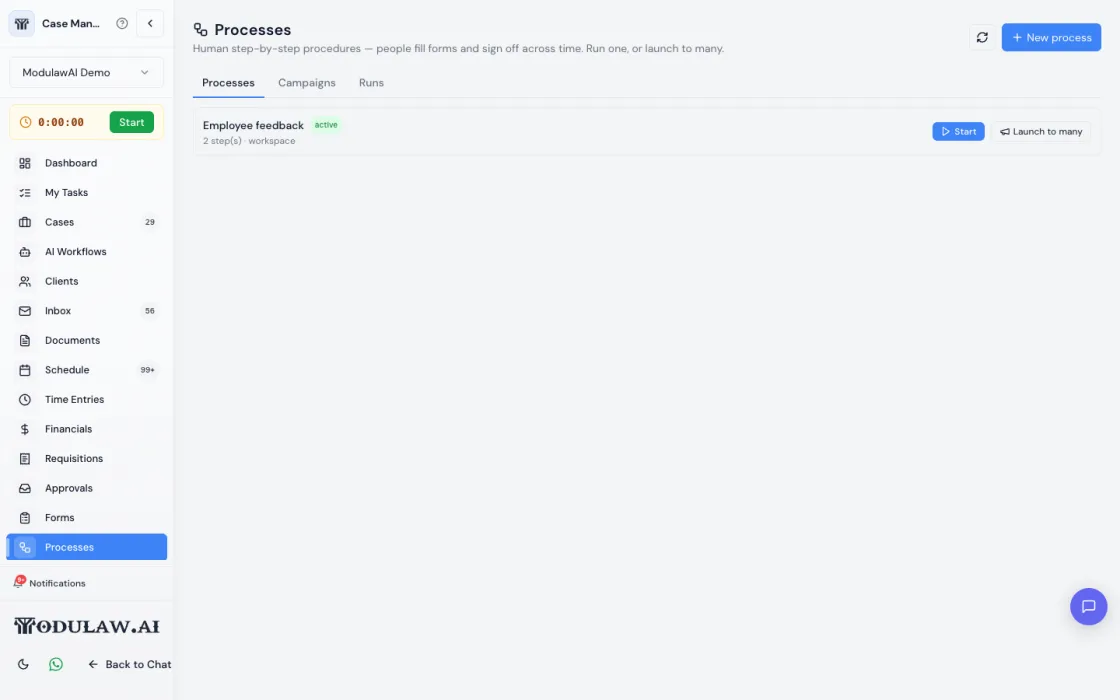
- Go back to the Processes list and find “Annual Staff Appraisal”.
- To appraise one person, click Start and choose who is being appraised.
- To appraise everyone at once, click Launch to many and select the whole team. Each person gets their own appraisal, all running in parallel. (This is an administrator action.)
- Watch progress under the Campaigns tab, which shows how many appraisals are complete and how many are still outstanding.
What each person sees
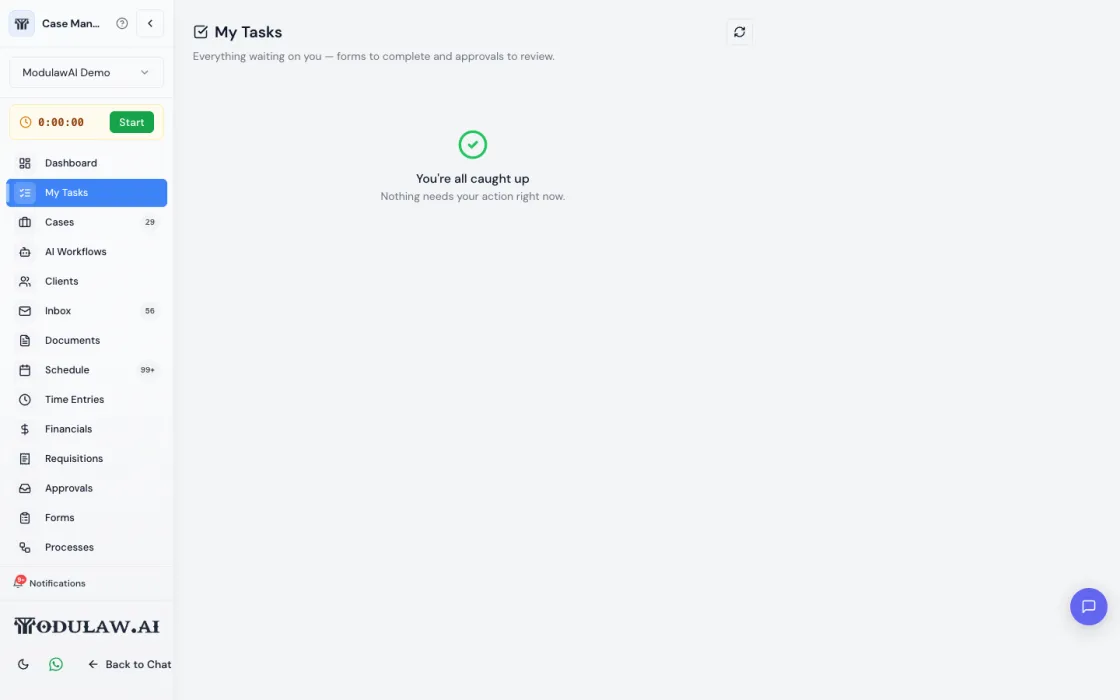
Nobody has to learn a new tool. Each step lands in that person’s My Tasks when it is their turn: the employee gets the self-assessment, then their manager gets the review, then the partner gets the sign-off. As each person finishes, the appraisal moves to the next step on its own, and reminders go out if someone is late.
Other internal processes firms build the same way
The appraisal pattern (a few forms, an approval, assigned to the right people, launched to one or many) covers most of the routines a firm repeats. A few examples:
- New matter opening and conflict check: a matter-details form, then a conflict-check form for the compliance lead, then partner approval to open the file.
- New-hire onboarding: an IT-setup form for admin, a policies-acknowledgement form for the new hire, and a supervising-partner sign-off that they are ready to bill.
- Client intake and KYC: a client-information form, a document-collection checklist, then a risk sign-off before work begins.
- Leave or time-off request: a request form filled by the staff member, then an approval by their manager, with reminders if it stalls.
- File closing and archiving: a closing checklist for the fee earner, then a sign-off before the matter is archived.
- 360 feedback: a single review form sent to several colleagues at once, using the “multiple people fill this” option, with all responses gathered before the process finishes.
If a routine involves money leaving the firm, use a Requisition instead, which is purpose-built for payments and prints to a signed PDF.
Tips
- Let it find the right person. Assigning a step to “the subject’s manager” uses your reports-to structure, so you build the process once and it routes correctly for everyone.
- Use due dates. Setting “Due within (days)” on a step turns on automatic reminders, so you are not the one nagging.
- Run it once a year with one click. Save the process and re-launch it to the whole team each cycle. Campaigns give you a completion scoreboard.
- Improve it safely. Edit the forms as a new version between cycles; appraisals already in flight keep working.