Approvals
Every decision the firm owes, in one inbox.
Expenses, invoices, requisitions, contracts and leave requests all land in the same place. Partners clear them from one list instead of chasing email threads, and each decision stays on the record.
Capabilities
What’s inside.
One inbox
Expenses, invoices, requisitions, contracts, leave, vendors, tasks, notes and events, side by side.
Four clear answers
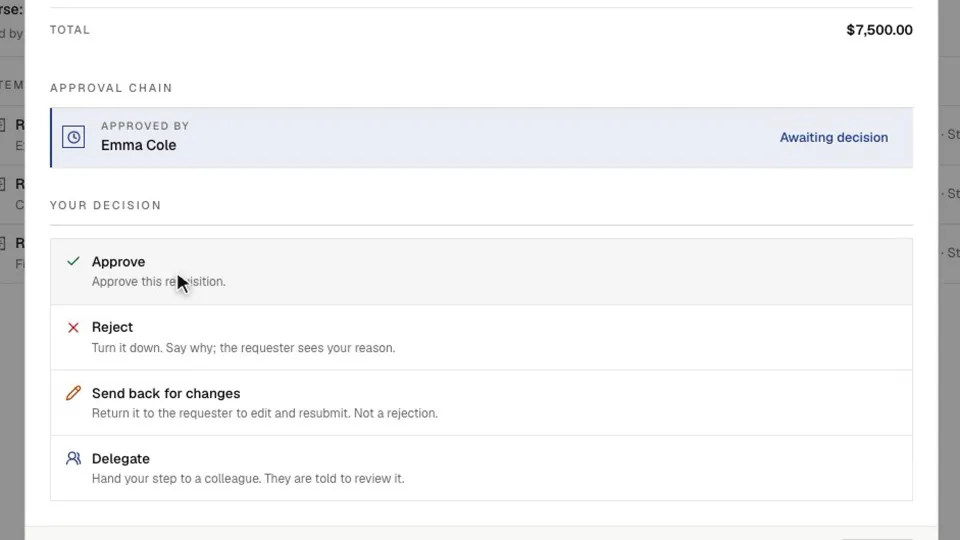
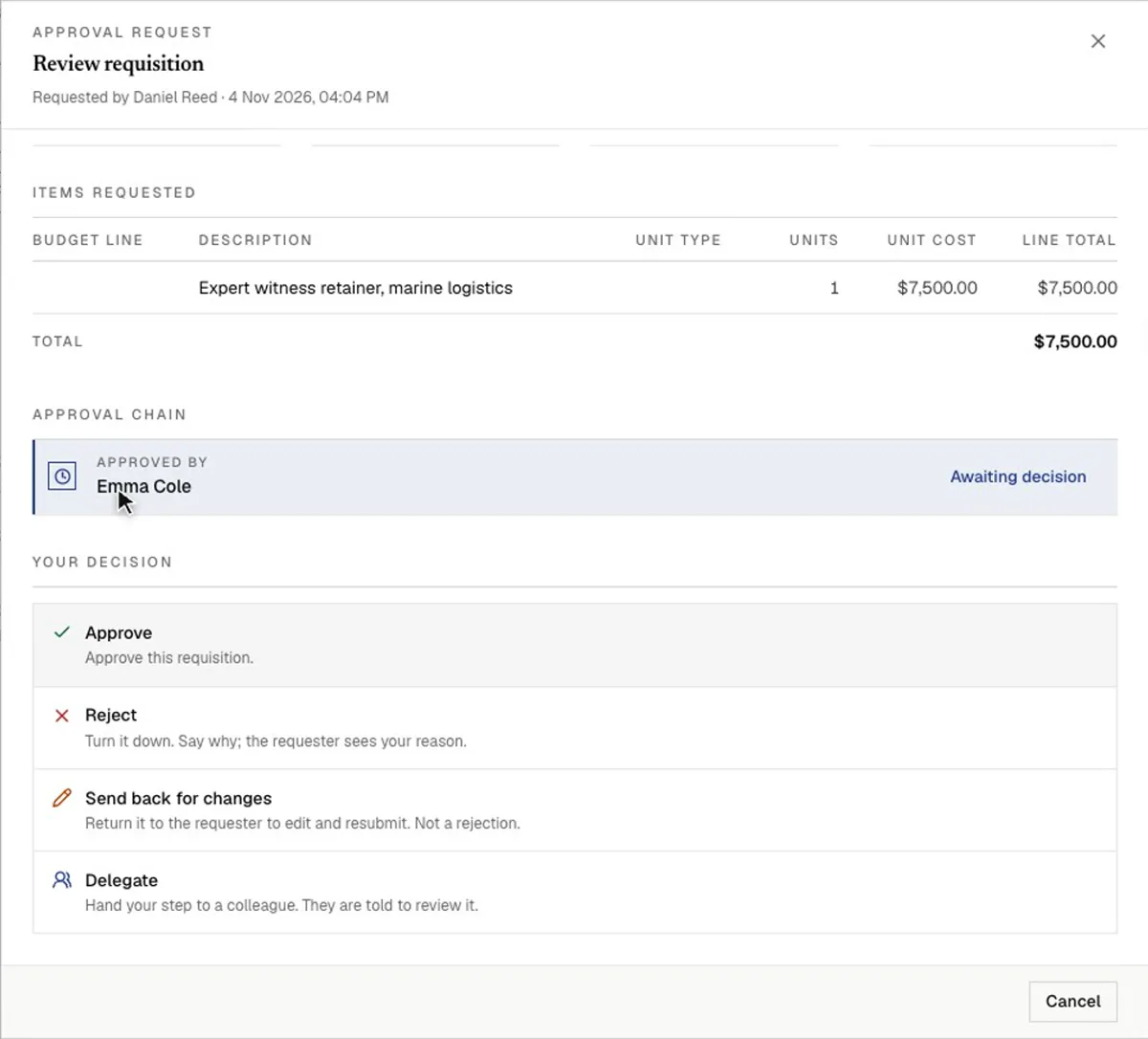
Approve, reject, send back for changes, or delegate to a colleague when it belongs with them.
Sequential chains
Each approver sees an item when it reaches their step, so sign-off follows the order you set.
Amount thresholds
Small spend stays with a manager. Larger amounts move up to the people you name.
Signed decisions
Approvers sign where a step calls for it, so the record shows who agreed and when.
Connected to the work
Open the item behind any approval, read what it is, and decide without leaving your place.
In depth
A closer look.
The inbox
What needs you, and what you are waiting on.
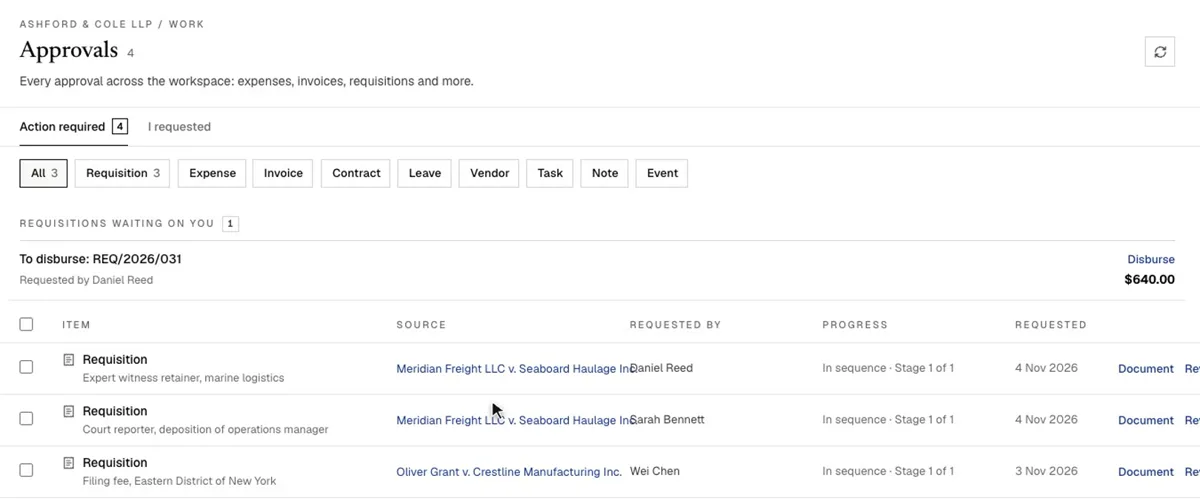
Action required lists everything waiting for your decision. I requested shows what you sent, who has signed and who is next, so nobody has to ask where something has got to.
- Filter by type when you want to clear one kind of item
- Tick several routine items and approve them together
- Use My Tasks for decisions and forms in a single list
The decision
Read it, decide it, sign it, in one place.
Opening an item shows its full details and the chain so far. A rejection tells the requester why. Sending back returns it for editing and resubmission, and is not a rejection. Delegating hands your step to a colleague, who is told to review it.
- Add a comment explaining the decision
- Type or draw your signature when the item asks for one
- The next person is brought in automatically
The rules
Chains that match how your firm signs off.
Administrators set the rule in the approval policy, and the policy can route by amount. If an item sits too long, it can remind people and escalate on its own.
- Single: one person decides
- Any one: the first person to act decides
- Multiple: several people must act
- Sequential: a set order, one after another
FAQ
Questions, addressed.
What kinds of items can go through approvals?
Requisitions, expenses, invoices, contracts, leave, vendors, tasks, notes and events can all arrive in the same inbox.
Can an approver hand an item to someone else?
Yes. Delegate passes your step to a colleague, and Send back returns the item to the requester for changes.
Can larger amounts need more approvers?
Yes. You set the amounts and the chain each one follows.
What happens if nobody responds?
An item that sits too long can remind people and escalate on its own, depending on how your firm has set it up.
Can I approve several items at once?
Yes. Tick the items on the Action required tab and use the bulk action. It suits small, routine items.
Which plans include approvals?
Approvals are available on all plans and to all roles by default. Setting the default rule is an administrator task.
In practice
What an approval decides.
The inbox looks the same for every item, but the decision does different work depending on what is being approved.
| Item | What happens on approval |
|---|---|
| Requisition | The request moves to the people who can pay it |
| Vendor | The vendor joins the approved list, which is who the firm can pay |
| Contract | The exact wording is approved and can go for signature |
| Leave | Time off is confirmed. Where a handover is required, the colleague accepts first |
| Process step | The process moves on to its next step |
Keep reading
Related reading.
See it on your firm’s sign-offs.
Get started in minutes, or book a demo and we’ll map your approval chains with you.