Requisitions
Every payment request, signed before it is spent.
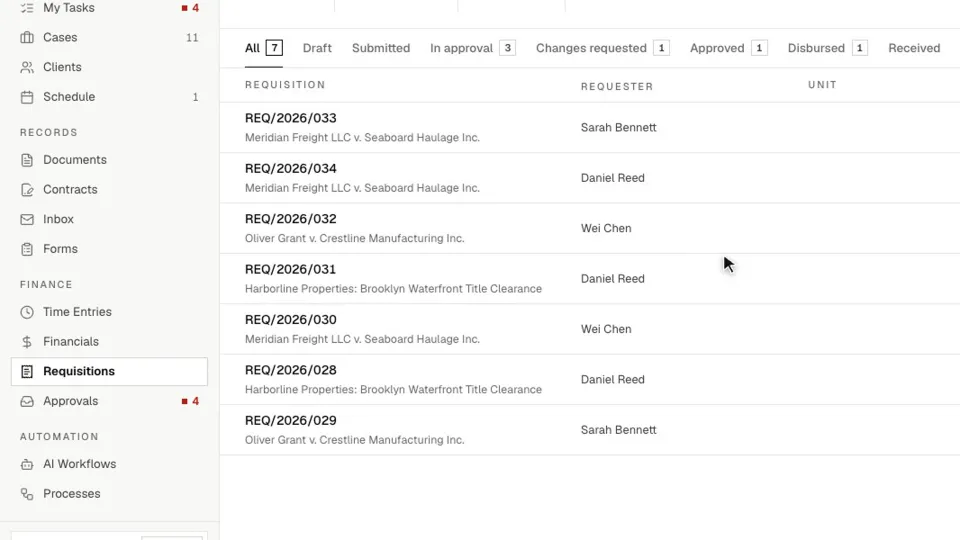
Requests for filing fees, experts, vendors and staff advances move through your approval chain, get paid in full or in parts, and close against receipts. Each one is tied to its case, so the spend stays on the record.
Capabilities
What’s inside.
Signed approval chains
Route each request to the right people in order, with different chains above the amounts you set.
Named payers
Choose who may release funds, with a backup for when a payer raised the request themselves.
Part payments
Pay a vendor in stages, record the date each payment left the bank, and always see the balance.
Advances closed against receipts
Staff account for what they spent. Overspend becomes a top-up request and unspent money is returned.
Tied to the case
Link a request to a case, number it your way, and pull vendor details in instead of retyping them.
Find it and export it
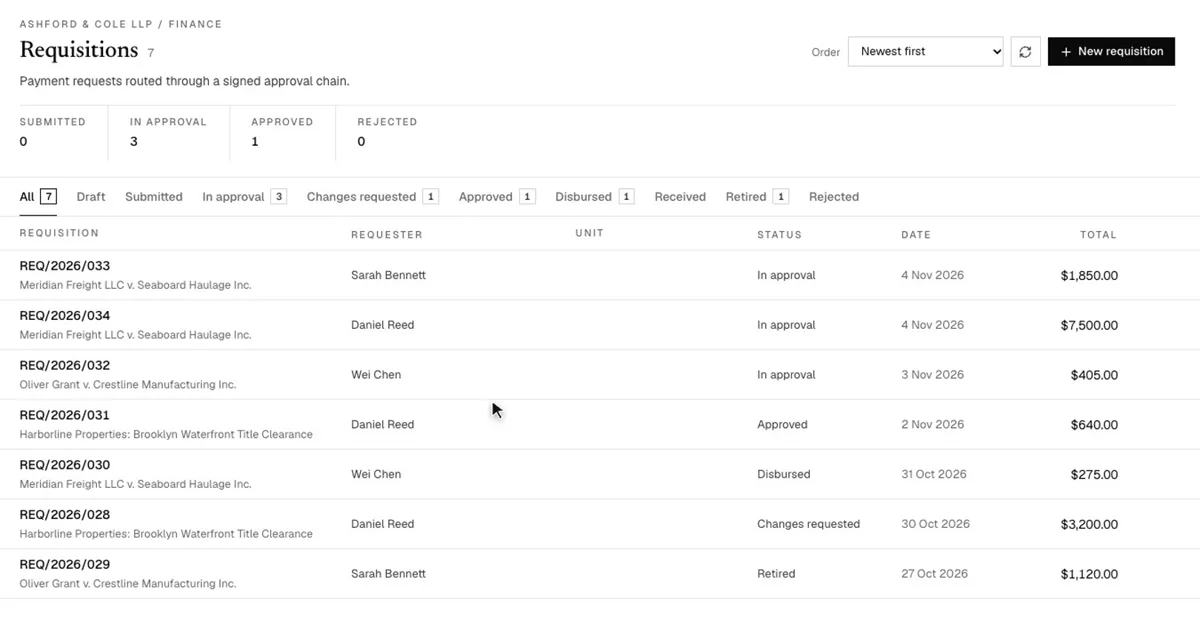
Search every request, see what needs attention or payment, and export a period to CSV for finance.
In depth
A closer look.
Approve
The whole amount is signed for, once.
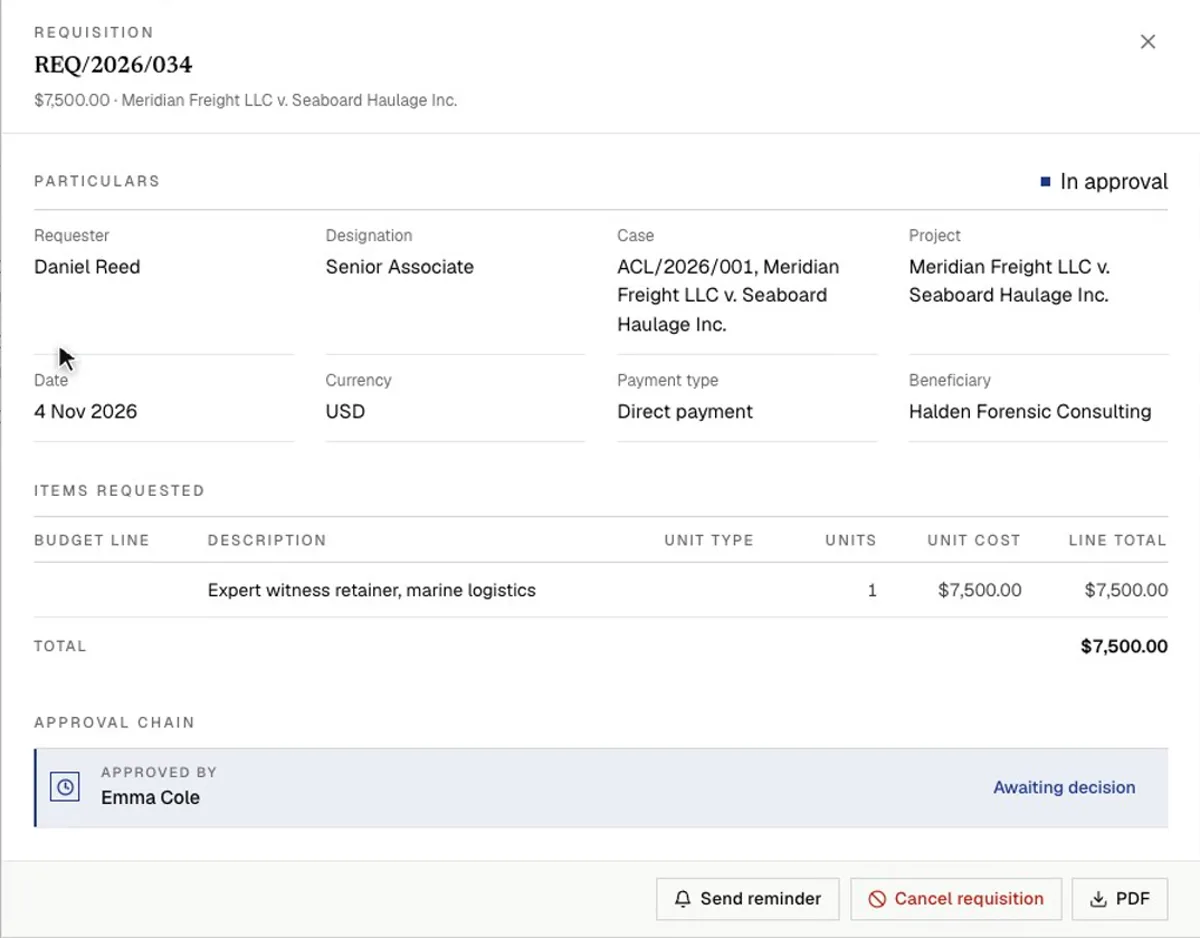
A request is either a direct payment to a vendor or beneficiary, or an advance to a staff member who will account for it. It goes to the people in your approval policy, and they approve the full amount, even when you already know it will be paid in stages.
- Route by amount, so larger requests reach more senior approvers
- Add an optional review officer who signs before the rest of the chain
- Send a request back for changes without rejecting it
Pay
Record what left the bank, on the day it left.
The payer records each transfer with the date on the proof, the method, a reference and the confirmation itself. Typing less than the balance is a part payment, and the request keeps showing what has been paid and what is still owed.
- Payments up to the approved amount need no further approval
- Nobody can pay a requisition they raised themselves
- Every payment also appears on the requisition PDF
Retire
Account for what was really spent.
A retirement lists the actual costs, with receipts, and works out the balance. If money is due back to the firm, the amount returned is recorded and finance closes it. If more is due, the requester claims a top-up, which carries the original number with a suffix such as -S1 and goes through its own approval.
- VAT and withholding tax are worked out on the retirement, at a rate your firm sets
- Require a receipt above an amount you choose
- Retirements and top-ups can follow their own approval chains
Report
See what needs you, not everything ever raised.
The list separates what needs attention, what is waiting to be paid and what is closed. Finished requests stay searchable, and finance can export any period to CSV for the books.
FAQ
Questions, addressed.
Does ModulawAI send the money?
No. Payments leave your bank as they do today. ModulawAI records each one, with its date, reference and proof, against the approved request.
Can different amounts follow different approval chains?
Yes. You set the amounts, and each one can route to a different chain of approvers.
Can we pay a vendor in stages?
Yes. Each payment is recorded with its own date, and the requisition shows what is still outstanding. Payments up to the approved amount need no new approval.
What happens when someone spends more than was approved?
The extra is claimed on the retirement as a top-up, which goes through approval and then to finance. The requester can also choose to retire without claiming it.
Does it handle tax withheld from a payment?
Yes. Your firm sets a starting withholding rate for vendor payments and staff advances, and the person retiring can adjust it on a single retirement. The figures show the net amount to pay.
Which plan includes requisitions?
Requisitions are available on the Professional plan.
Lifecycle
One payment, from request to closed.
Each stage has an owner and leaves a record, so anyone reviewing the file later can see who asked, who agreed and what was paid.
| Stage | Who | What happens |
|---|---|---|
| Raise | Requester | Fills in the request, links a case if there is one, and signs and submits it |
| Approve | Approvers | Each person in the chain signs for the full amount |
| Pay | Finance | Records each payment with the date the money moved |
| Confirm receipt | Requester | Confirms a staff advance arrived, if your firm uses this step |
| Retire | Requester | Reports what was really spent, with VAT and withholding tax |
| Settle and close | Approvers, then finance | Approve the retirement, then settle any balance |
Keep reading
Related reading.
See it on your firm’s spend.
Get started in minutes, or book a demo and we’ll walk through your approval rules.