Legal practice management software
Cloud-based legal practice management software that practises with you.
Clients, calendar, matters, documents, time, and invoices, in the order a working lawyer actually meets them, in any browser with nothing to install. Then the part other platforms leave to a separate subscription: cite-checked research and drafting, in the same workspace.
A working day
What you touch between nine and six.
Practice management software is judged on the small frictions: how many clicks to open a matter, whether the calendar knows about the court date, whether the invoice remembers the call. These are the parts we optimised first.
Clients and contacts
One client record with custom fields, lifecycle stage, related matters, and the full correspondence history.
Calendar and deadlines
Hearings, filings, and statutory deadlines on one calendar, with reminder cadences and escalation.
Time capture
Research, calls, and drafting timed against the matter as they happen, editable before billing.
Invoicing and payments
Matter-driven invoices in multiple currencies, online payment, retainers, and trust reconciliation.
Research, built in
Cite-checked answers from primary law in eight jurisdictions, attached to the matter. See research.
Drafting in Word
Redlines as native track changes and findings as comments, without leaving the document. See the add-in.
Client portal
Clients check progress, documents, and invoices themselves, which shortens the update email. See the portal.
Bookings
Public booking pages for consultations that write straight into your calendar. See bookings.
Law firm management
Law firm management software: run the firm, not just the files.
A law firm is a business with a structure, a payroll, an approvals culture, and partners who need to see the numbers. Most legal software models the matter beautifully and the firm barely at all. ModulawAI models both: departments and teams, role-based permissions, approval chains for spend, firm-wide revenue and profitability, and AI agents that keep the operation moving while you practise.
Team structure
Departments, practice groups, and reporting lines, so work and visibility follow the way the firm is actually organised.
Roles and permissions
Named permission policies with per-member overrides. Associates, paralegals, and partners each see exactly what they should.
Approvals and requisitions
Multi-line payment requests routed through the firm’s approval chain, scoped to a matter or to the firm, with a full trail.
Firm financials
Revenue, work in progress, collections, and profitability by partner, practice area, and client, in multiple currencies.
Internal communication
Channels, direct messages, and calls tied to matters, so the discussion stays with the file. See team chat.
Business development
Lead capture, intake, and booking through to signed retainer, measured as a pipeline. See CRM.
AI agents on staff
Background agents that monitor matters, review contracts, and escalate deadlines without being asked. See agents.
Governance and audit
Every action date-stamped and attributed, exportable for regulators, auditors, and professional indemnity insurers.
Where firms lose money quietly.
Leakage
Unrecorded time is the largest line item nobody reports.
A fee earner who reconstructs their day on Friday afternoon does not remember Tuesday’s twenty-minute call. Because ModulawAI is where the research, the drafting, the calls, and the client messages happen, the time is captured as a by-product of the work rather than an act of memory.
- Timers attach to the activity, and remain editable before the invoice goes out
- Partners see work in progress per fee earner before it becomes a write-off
- Retainers and trust balances reconcile in real time, segregated from operating funds
Scale
The same system at two lawyers and at two hundred.
Firms usually outgrow their software at the point where structure appears: the second office, the first non-lawyer manager, the first approval threshold. ModulawAI carries departments, delegated authority, and multi-office reporting from the start, so growth is a configuration change rather than a migration.
See how it is set up for small firms, mid-market firms, and enterprise practices.
Law office management
Law office management software for the work nobody bills for.
Most legal software is written for fee earners. The office manager, the practice administrator, and the front desk are left with spreadsheets, a shared drive, and a messaging group. ModulawAI gives that side of the office the same system the lawyers use: front-desk intake, filing and records, staff and support teams, expenses and requisitions, and the reporting that tells you whether the office is actually running well.
Intake and reception
Walk-ins, calls, and web enquiries captured on a structured intake form and routed to the right fee earner.
Records and filing
A central document library with precedents, templates, and firm records, searchable rather than remembered.
Expenses and requisitions
Payment requests raised, approved, and paid on a documented chain, with disbursements charged to the right matter.
Staff and scheduling
Support staff, paralegals, and shared resources on one calendar, with tasks assigned and tracked to completion.
A practice manager’s week, and what the job actually consists of.
Ask a practice manager where the week goes and the answer is rarely one big thing. It is a hundred small ones, most of which are chasing somebody for something.
- Chasing approvals. A disbursement needs a partner’s sign-off, the partner is in court, and the supplier is calling. Approvals routed with a named owner and an escalation path remove the chase entirely.
- Finding things. The precedent someone used last year, the signed engagement letter, the certificate of incorporation. A searchable library beats institutional memory, particularly after someone leaves.
- Onboarding and offboarding. A new paralegal needs access to the right matters and none of the wrong ones, on day one, without a partner deciding case by case.
- Answering “where is that matter up to”. A dashboard showing status, last activity, and unactioned deadlines answers this without interrupting a fee earner.
- Closing files. Archiving properly, with retention dates recorded, rather than leaving closed matters to accumulate in the live list forever.
Administration, without the paper trail being paper.
Approvals
Every spend has a name against it.
Filing fees, courier costs, expert retainers, and office purchases are raised as multi-line requisitions, routed through the approval chain the firm has configured, and recorded against the matter or the office budget. When the auditor asks who approved a payment in March, the answer is on the record rather than in someone’s memory.
Approval thresholds are configurable, so a small stationery order does not need the same sign-off as a five-figure expert fee, and a request that stalls escalates rather than sitting in an inbox.
Forms and process
The office checklist, made executable.
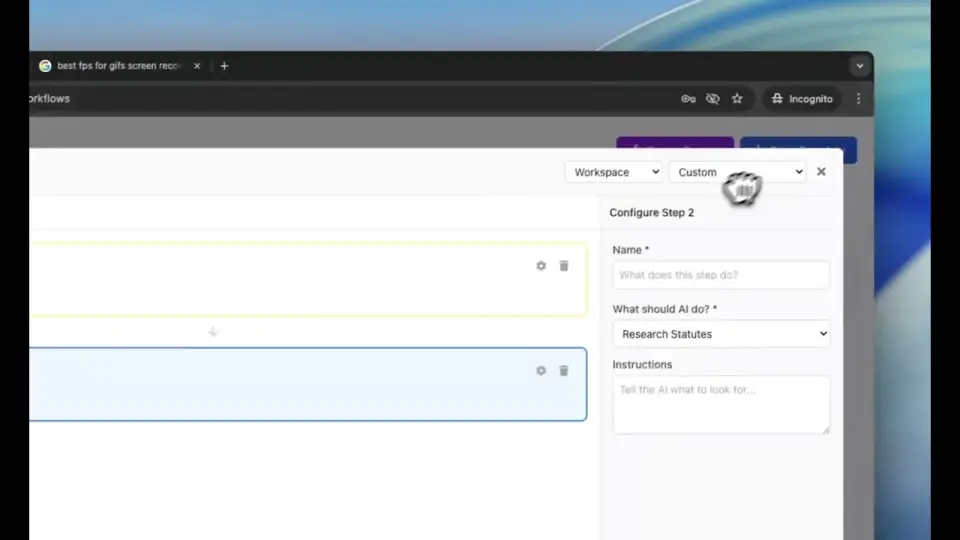
Client onboarding, conflict checks, file opening, and file closing are configurable processes with steps, owners, and forms, so the same thing happens every time regardless of who is covering the desk. A step that has not been completed blocks the next one rather than being quietly skipped on a busy day. See workflows.
Access
Support staff without seeing everything.
The reason administrators often end up outside the system is a fear of giving them access to everything. Permissions are named policies applied to roles, with per-member overrides, so reception can log an enquiry and raise a requisition without seeing privileged matter content or firm financials. Onboarding a new administrator becomes assigning a policy rather than a series of individual decisions.
The stack you are replacing
Legal management software: six subscriptions, one workflow.
The claim that a platform replaces several products is easy to make and rarely itemised. Here is the itemisation, because the comparison that matters is your current annual spend across all of it against one per-seat figure.
| What most firms run | What it is for | Where it sits here |
|---|---|---|
| Practice management | Matters, contacts, time, billing, trust | The system of record, with matters, deadlines, time capture, invoicing and client money |
| Legal research subscription | Case law and legislation | Primary law across eight jurisdictions, searched in the same workspace as the matter |
| Document automation | Templates and assembly | Drafting in Microsoft Word with track changes, against authority rather than against a template alone |
| A separate AI assistant | Summarising and drafting | Part of the plan rather than a per-user add-on above it |
| Bulk review or diligence tooling | Reading many documents at once | Tabular review, with documents as rows and questions as columns |
| Client portal or file sharing | Sending documents and updates | A portal on the matter, with the correspondence recorded |
Two effects follow from consolidation, and only one of them is about cost. The obvious one is the invoice. The one firms notice more is that work stops being copied between systems: the authority you verified is the authority in the draft, the draft is on the matter, and the time is captured against the client without anyone retyping anything.
Choosing a platform
Four questions worth asking any vendor.
One
Is the AI part of the product, or a panel bolted to the side?
Most incumbents shipped a chat panel in the last two years. Ask what happens to the output: does the research attach to the matter, does the time get captured, does the citation get checked against primary law? If the answer is that you copy and paste, the AI is a feature, not a foundation.
Two
Which law does it actually know?
A tool trained on one jurisdiction will answer confidently about another. ModulawAI is explicit about coverage: the United States, United Kingdom, Canada, the European Union, Nigeria, Ghana, Kenya, and South Africa, each with linked primary sources rather than a summary in the model’s memory.
Three
What does the total stack cost?
Compare like for like. A practice management seat plus a research database plus a document tool plus an AI assistant is the real number. ModulawAI is one line on the invoice, priced per seat with usage-based credits. See pricing.
Four
Can you leave with your data?
Matters, documents, time entries, and invoices export in standard formats. There is also a scoped REST API and an MCP server, so your data is reachable by your own tools rather than trapped behind a reporting screen.
What a system of record has to guarantee
Before features, four properties.
Any product can demonstrate a feature. The questions that decide whether a firm can actually run on a system are duller and harder.
- The record is attributable. Who did what, when, on which matter, retained as history rather than as the current state of a field. This is what you need when a client asks why something happened eighteen months ago.
- Access is deliberate. Permissions set by role with per-person overrides, so a matter can be walled where it needs to be, and support staff get what they need rather than what everyone else has.
- Client money is separable and provable. Held apart from office money, reconciled continuously, exportable for whoever audits it under your jurisdiction’s rules.
- The data is yours and portable. Export of clients, matters and documents on demand, with a published processing agreement and subprocessor list. A system you cannot leave is a risk, not a commitment.
Where this is the wrong choice. If your firm’s work depends on a specific integration with no equivalent here, if you need a jurisdiction we do not cover for research, or if you are mid-cycle on a matter that a migration would disrupt, wait. The firms that gain most are the ones currently paying for several of the products in the table above and moving work between them by hand.
FAQ
Questions, addressed.
What is legal practice management software?
Legal practice management software is the day-to-day system a lawyer uses to run their caseload: client and contact records, a matter list, a calendar of hearings and deadlines, document storage, billable time, and invoicing. ModulawAI covers all of that and adds AI legal research and drafting in the same workspace.
What is legal management software?
Legal management software is the system a law practice uses to run its work: opening and tracking matters, storing documents, recording billable time, issuing invoices, managing deadlines, and communicating with clients. ModulawAI adds legal research and document drafting to that list, so the same system that stores the matter can also help you argue it.
What is law firm management software?
Law firm management software runs the firm as a business: its people and reporting lines, permissions, spend approvals, billing, and financial reporting, alongside the legal matters themselves. It is broader than case management software, which models the individual file, and broader than billing software, which models only the money.
What is law office management software?
Law office management software handles the administrative operation of a legal practice rather than the legal work itself: reception and intake, records and filing, staff scheduling, office expenses and approvals, supplies, and internal reporting. It is what the practice manager uses, where case management is what the fee earner uses.
How is this different from Clio or MyCase?
Clio and MyCase are practice management systems with AI features added on top of an existing product. ModulawAI was built AI-native: research, drafting, and autonomous agents are part of the core data model rather than an add-on module. It also covers eight jurisdictions of primary law, including Nigeria, Ghana, Kenya, and South Africa, which neither competitor offers. See the Modulaw vs Clio and Modulaw vs MyCase comparisons.
Do I need separate research software as well?
No. Research across eight jurisdictions is part of the platform, with citations linked to primary sources, so you are not paying for a second subscription or copying results between systems.
Is it cloud-based, and where is our data held?
Yes. ModulawAI is cloud-based legal practice management software: there is no server to buy, no upgrade to schedule and no VPN to maintain. It runs in any modern browser, with a desktop application that synchronises for offline work. Data is encrypted in transit and at rest, held in AWS data centres, backed up continuously, and never used to train AI models. Role-based permissions and an audit trail on every action apply across the firm.
What does cloud-based mean for a firm with an on-premise system today?
Migration is a data import rather than an infrastructure project. Matters, contacts, documents and time entries import from CSV, Excel and common practice management exports. Because nothing is installed on office machines, a new fee earner or a new office is a login, not a rollout.
Can we control what each role can see?
Yes. Permissions are defined as named policies applied to roles, with per-member overrides where a particular person needs more or less access than their role implies. Support staff can be given access to intake, filing, and requisitions without visibility of privileged matter content or firm financials.
Does it handle trust and client accounts?
Yes. Retainers and trust balances are reconciled in real time and held separately from operating funds, with an exportable audit trail for compliance reviews.
Can it handle multiple offices?
Yes. Departments, locations, and reporting lines are configurable, and financial reporting can be filtered by office as well as by partner, practice area, or client.
Does it replace our accounting software?
It handles billing, disbursements, requisitions, and trust reconciliation, and exports to standard accounting formats. Firms typically keep their statutory accounting package and use ModulawAI as the operational source of truth.
How does file closing and retention work?
Matters can be closed with a defined closing process, archived out of the active list, and given retention dates so records are kept for the period your jurisdiction and your insurer require rather than indefinitely by accident.
How is it priced?
ModulawAI is priced per seat with usage-based credits: see pricing.
How long does implementation take?
Most solo practitioners and small firms are working in the platform the same day. Larger firms with data migration, custom fields, and permission policies typically complete onboarding within two to four weeks.
Does it work on mobile and offline?
The platform runs in any modern browser, and there is a desktop application with offline synchronisation for working without a reliable connection. See the desktop app.
Related
Keep reading.
- Legal case management software: the matter itself, from opening through to closure.
- Law firm billing software: time, invoicing, and disbursements.
- ModulawAI vs Clio: a direct comparison.
- For solo practitioners and small firms.
Try it on this week’s matters.
Book a demo and we’ll run it against your real caseload.