Client portal
A portal worth sharing.
Secure access to documents, invoices, and real-time matter updates. Replaces email chains with a record of correspondence: auditable, jurisdiction-aware, and yours.
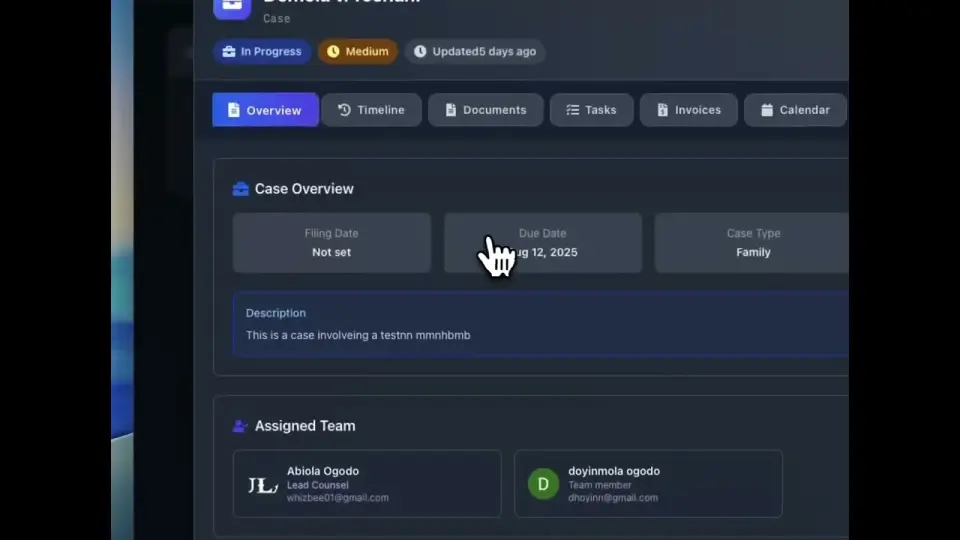
100%
Of correspondence on record
< 24h
Average client response time
AES-256
Encryption at rest
Audit
Trail on every action
Capabilities
What’s inside.
Secure document access
Clients access matter documents under role-based permissions, with every download logged.
Invoice and payment
View invoices, payment history, and pay directly through the portal with transparent receipts.
Real-time updates
Clients are notified as matters progress: status changes, milestones, hearings, settlements.
Secure messaging
Lawyer-client communication on the record, with full audit trail and no email leakage.
Custom branding
White-label the portal to your firm: logo, accent colour, sub-domain, welcome message.
Per-matter visibility
Clients see only the matters you grant them access to, with field-level redaction available.
Document e-signature
Engagement letters, settlements, and disclosures signed inside the portal, countersigned and stored.
Audit-trail export
Every view, download, message, and signature exportable as a compliance record.
In depth
A closer look.
Trust
A record of every correspondence, not a thread of every email.
Email is fast, but it isn't evidence. The portal captures every exchange (files shared, messages sent, payments made) under the firm's control and the client's view.
- Tamper-evident logs with cryptographic timestamps
- Per-document watermarks and view-only mode for sensitive files
- One-click export for litigation hold or audit response
Experience
Built for clients who don't want to learn another tool.
No app to install. No new login screen. The portal looks like part of your firm's site, opens in the browser, and works on every device clients already own.
FAQ
Questions, addressed.
Can clients use the portal without an app?
Yes. The portal runs in any modern browser. No installation, no client-side software.
How is access controlled?
Per-matter, with role-based permissions and field-level redaction. Clients see only what you grant them access to.
Is communication legally privileged?
Communications inside the portal carry the same privilege as direct correspondence and are stored on encrypted infrastructure your firm controls.
Can I brand the portal?
Yes. Logo, accent colour, welcome message, and sub-domain are configurable per workspace.
Visibility
What the client sees, and what they do not.
The reason firms hesitate over client portals is the fear of exposing something. Access is granted per matter and per item, so the default is that a client sees nothing until you decide otherwise.
| Item | Client sees | Stays internal |
|---|---|---|
| Matter progress | Stage, next step and any date they need to know | Internal strategy notes and attendance notes |
| Documents | Only the documents you share, at the version you share | Drafts, internal markup and privileged working papers |
| Messages | The client-facing thread for their matter | Lawyer-only channels on the same matter |
| Money | Invoices, payments made and balance outstanding | Time entries before they are approved for billing, and margin |
| Requests | Forms and document requests you send them | The workflow behind the request |
Everything the client does in the portal is recorded against the matter, which means the question of whether they were sent a document, and when, stops being a matter of memory. Access works at two levels: the matter, and the individual document. A single file can be shared with a client, a guest or a link at viewer, commenter or editor level, with an expiry date, a password and download disabled if you want it read but not kept.
Keep reading
Related reading.
See it against your matters.
Get started in minutes, or book a demo and we’ll run it on your firm’s real work.